> ## Documentation Index
> Fetch the complete documentation index at: https://docs.totowallet.app/llms.txt
> Use this file to discover all available pages before exploring further.
# 微信账单导出方法
## **操作流程**
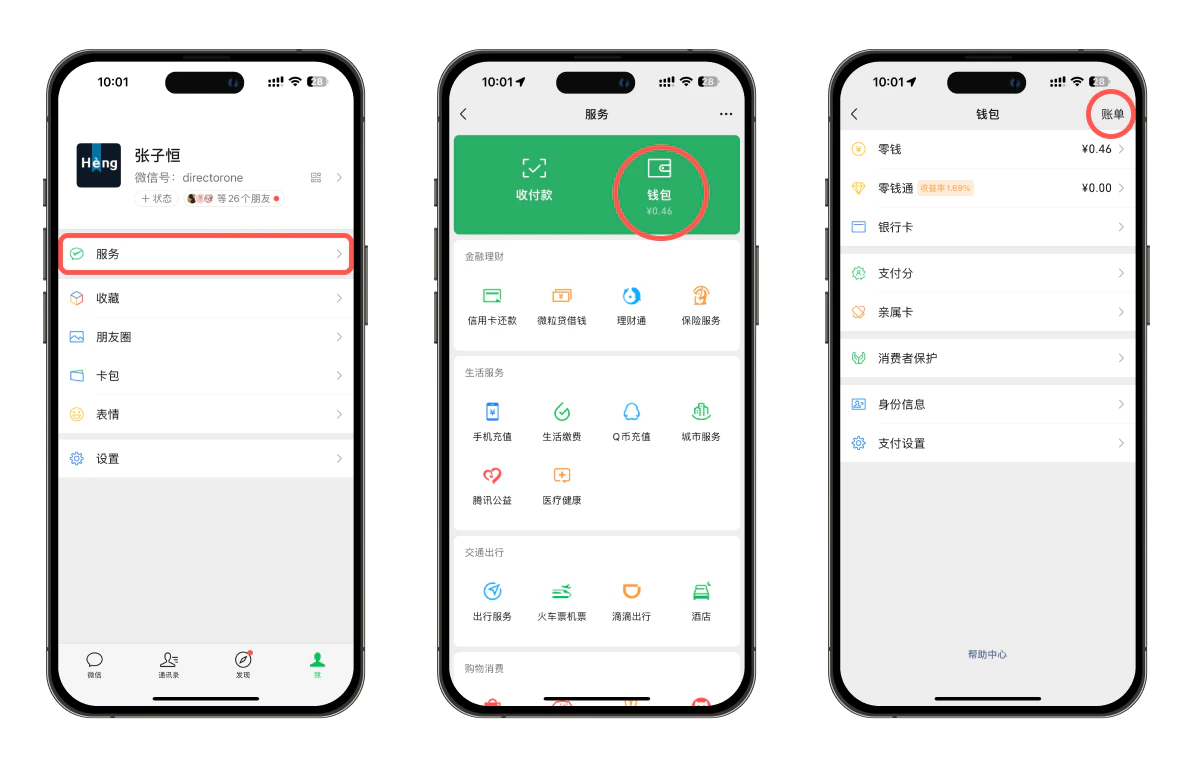 1. 进入微信,在底部菜单中点击「我」,随后点击「服务」;
2. 在服务页面,点击「钱包」;
3. 进入钱包页面后,在右上角点击「账单」
1. 进入微信,在底部菜单中点击「我」,随后点击「服务」;
2. 在服务页面,点击「钱包」;
3. 进入钱包页面后,在右上角点击「账单」
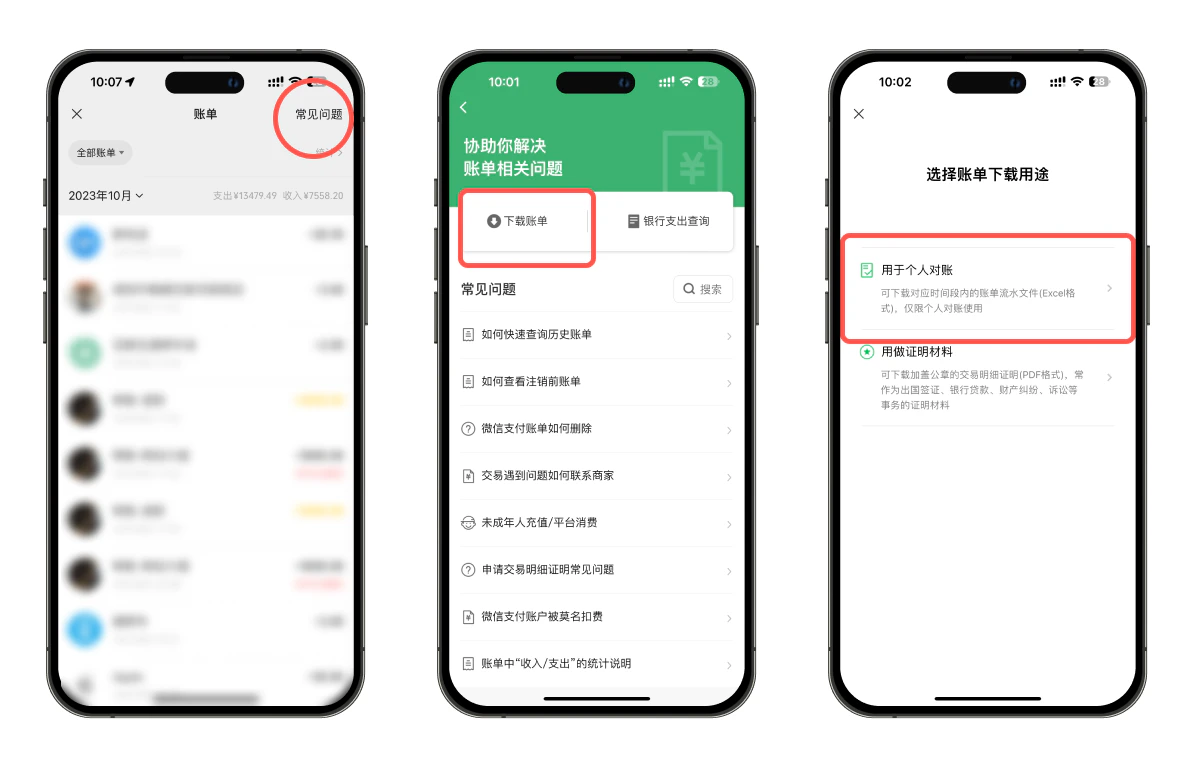 4. 进入账单页面后,在右上角点击「常见问题」;
5. 点击「下载账单」;
6. 选择「用于个人对账」;
4. 进入账单页面后,在右上角点击「常见问题」;
5. 点击「下载账单」;
6. 选择「用于个人对账」;
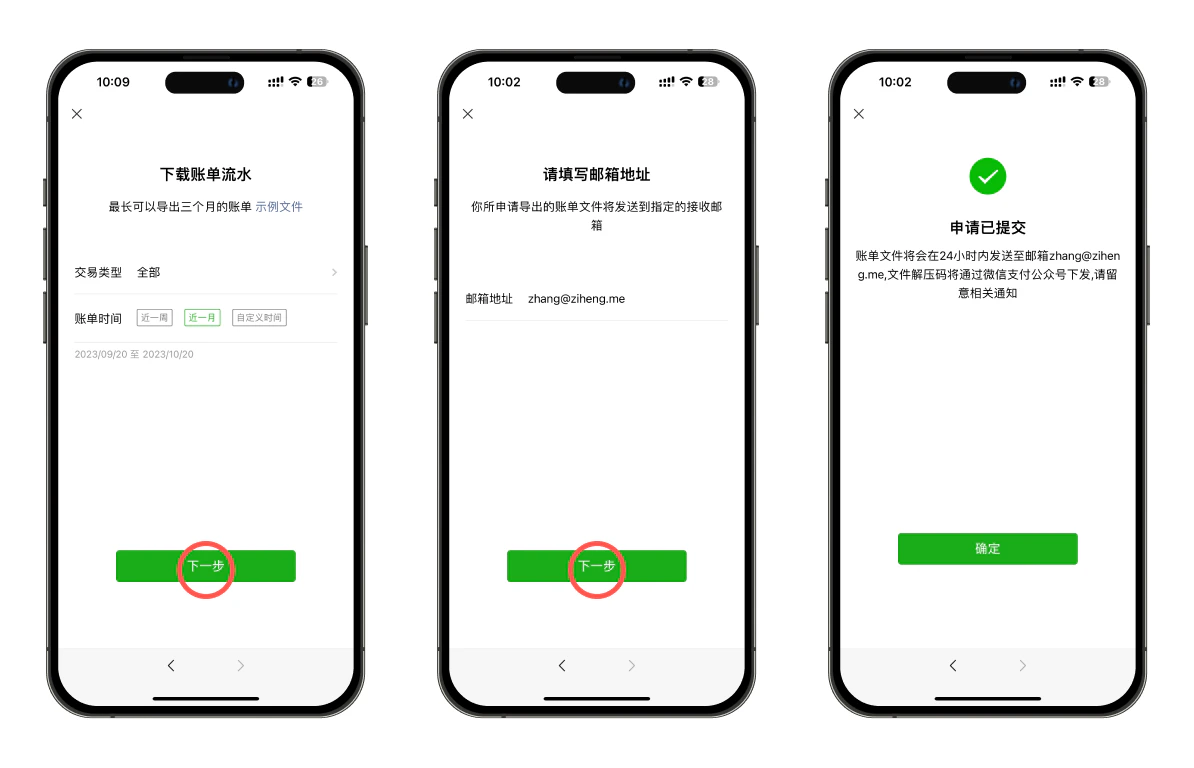 7. 在下载账单流水页面,选择你要导出的账单的交易类型及时间范围后,点击「下一步」;
8. 填写邮箱地址,用于接收导出的微信账单;
导出的微信账单会以加密压缩文件的方式发送至你预留的邮箱,文件解压码会发送至你的微信,使用电脑解压后,将解压完毕的账单文件保存至自己 iPhone 或 iPad 的「文件」app 中,然后在图图记账-设置-导入账单页面中,选择刚才保存的文件,执行导入流程即可。
***
7. 在下载账单流水页面,选择你要导出的账单的交易类型及时间范围后,点击「下一步」;
8. 填写邮箱地址,用于接收导出的微信账单;
导出的微信账单会以加密压缩文件的方式发送至你预留的邮箱,文件解压码会发送至你的微信,使用电脑解压后,将解压完毕的账单文件保存至自己 iPhone 或 iPad 的「文件」app 中,然后在图图记账-设置-导入账单页面中,选择刚才保存的文件,执行导入流程即可。
***